
Your data
Work from customer orders, product mappings and appointment information.
Sales Order Automation turns customer POs into reviewed ERP orders. Appointment Automation uses the date and transit days already on that order to create the delivery. People still approve what is uncertain.
Capture the purchase order, match the customer’s product codes to your catalog, and route it for approval. Your team handles the exceptions. The ERP gets a clean order.
Explore Sales Order AutomationThe customer already named the delivery date. Use that date and the transit days on the order to create the ERP delivery, so dispatch is not waiting on another spreadsheet.
Explore Appointment AutomationFrom purchase-order documents to ERP orders and delivery creation. Two products, connected around your process.
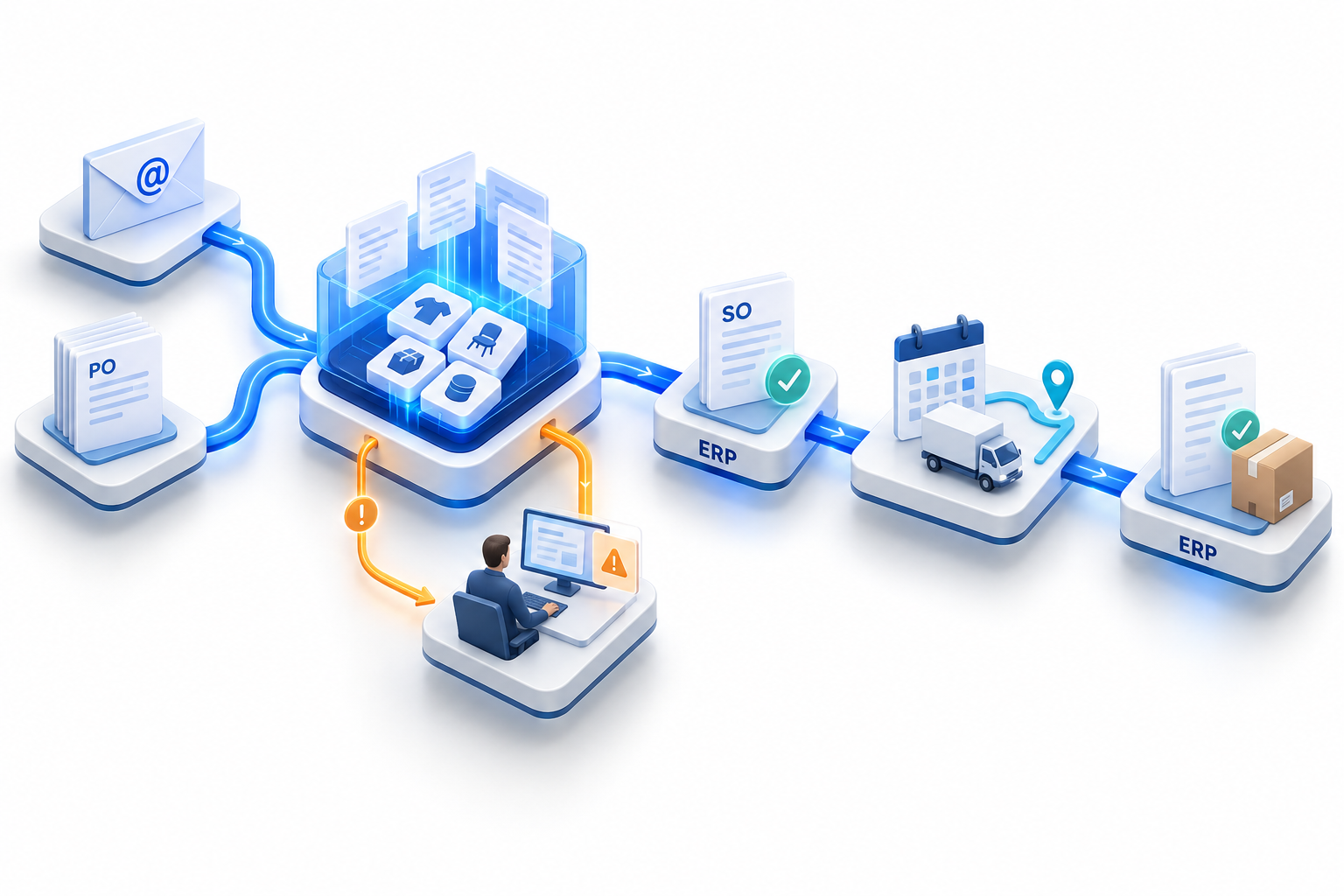
Purchase-order documents arrive through configured email and document sources. Relevant details become structured order data.
Sales Order Automation prepares the order. Appointment Automation uses its delivery timing. The same order carries both, instead of an inbox for sales and a file for logistics.
Work from customer orders, product mappings and appointment information.
Bring people into the process where review and approval matter.
Keep order and delivery records connected to the system you already use.
We will show capture, product matching, approval, and how the appointment date becomes an ERP delivery.