
Stop retyping orders.
Start shipping.
OrdIntel reads incoming purchase orders, matches customer product codes, and posts a reviewed sales order to your ERP. Appointment dates and transit days then drive the delivery record your dispatch team needs.



From the inbox to the truck.
Sales Order Automation gets the customer PO into your ERP. Appointment Automation turns the date on that order into a delivery. Pick the step that is slowing your team down.
Sales Order
Automation
Capture the purchase order, match the customer’s product codes to your catalog, and route it for approval. Your team handles the exceptions. The ERP gets a clean order.
Explore Sales Order AutomationAppointment
Automation
The customer already named the delivery date. Use that date and the transit days on the order to create the ERP delivery, so dispatch is not waiting on another spreadsheet.
Explore Appointment AutomationEvery order has a journey.
Make each handoff count.
From purchase-order documents to ERP orders and delivery creation. Two products, connected around your process.
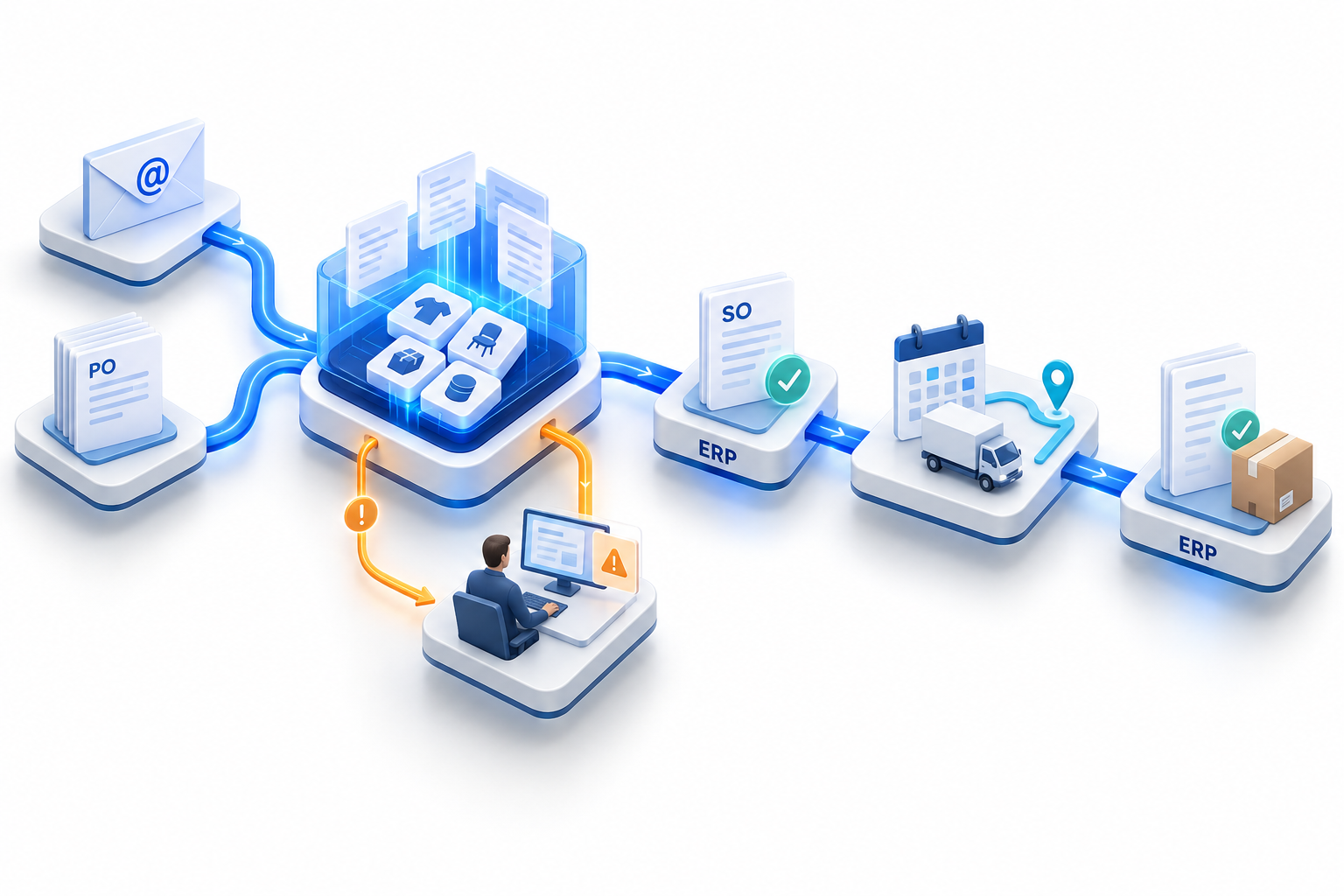
Your orders, brought together.
Purchase-order documents arrive through configured email and document sources. Relevant details become structured order data.
Your ERP stores the order.
OrdIntel gets it there.
The delay is rarely the ERP. It is the retyping, the unknown product code, the approval sitting in email, and the delivery date living in a different file.
See the full pathHours back on the order desk
Incoming POs become structured lines instead of a manual retype into the ERP.
Matches people can stand behind
Suggested SKU matches show their confidence. Your team confirms the uncertain ones, and that mapping is reused.
Deliveries that start from the date
Appointment date minus transit days becomes the planning input for the ERP delivery.
Keep the ERP you already run.
OrdIntel sits in front of SAP, Microsoft Dynamics 365 and NetSuite. We map the fields for your environment. Your ERP stays the system of record.



Connect OrdIntel with SAP, Microsoft Dynamics 365 and NetSuite. We configure the interfaces and field mappings for your environment.
Up and running in 30 days.
Most customers are live within 30 days, including ERP connector setup, SKU mapping and a pilot with a handful of customers before full rollout.
See how we get you thereERP connector setup
We configure the interfaces and field mappings for SAP, Microsoft Dynamics 365 or NetSuite.
SKU mapping
Customer product codes are matched to your catalog, with suggested matches for your team to confirm.
Pilot, then full rollout
A handful of customers go live first. Once the workflow holds up, it expands to the rest of your orders.
Bring a real purchase order.
We will show capture, product matching, approval, and how the appointment date becomes an ERP delivery.